
PROJECT MANAGEMENT – Tools Module

Online installation available
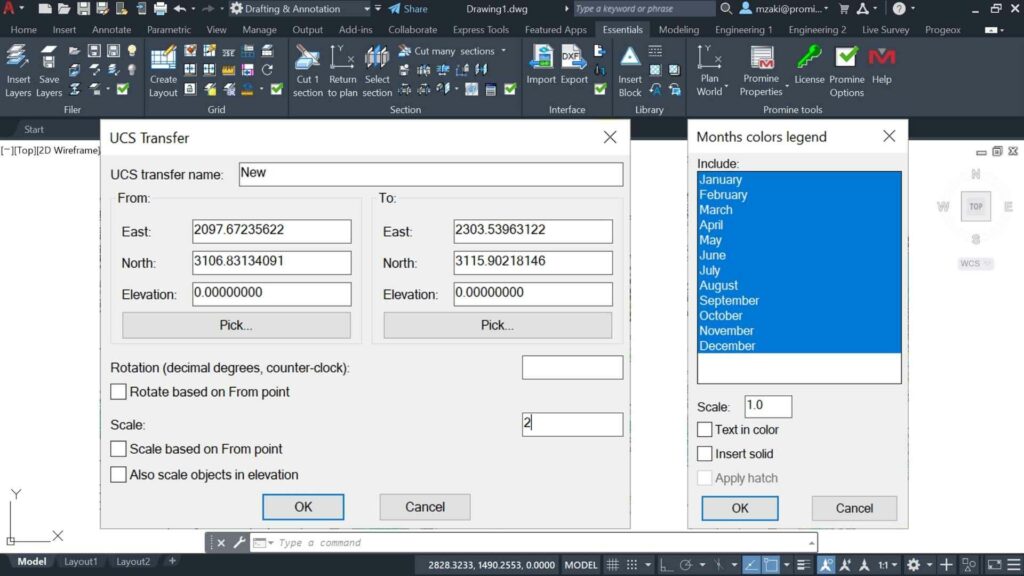

Customize properties for CAD objects and define UCS configurations.
Create, edit and select customized properties for CAD objects. Define multiple UCS configurations for different projects and configure your global Promine settings.
This module allows you to:
- Return to plan World and set the UCS to world.
- Set the view center of the camera by picking a point and start free orbit.
- Set the current User Coordinate System.
- Tranfer objects from a coordinate system to another.
- Configure coordinate transfers.
- Converts a 3D polyline into a 2D polyline
- Converts a 2D polyline into a 3D polyline.
- Extract coordinate points from polylines and write them to a text file.
- Inserts a grade, rock type or month geology legend in drawing.
- Purge a Layer.
- Removes unnecessary points from a polyline.
- Creates an offset of a 3D polyline.
- Open a toolbar with useful commands for tablets.
This module is provided as an on-going subscription based on your choice of time period and number of licenses.
Licenses for this module are provided in batches of 5. This means the first available batch is 1-5 licenses, then 6-10 licenses, and so on. Multiple licenses allow users to run Promine simultaneously.
You may install Promine on an unlimited number of devices, but the number of simultaneous users depend on the number of licenses you choose. The available time periods are 3 months, 6 months, 9 months and 12 months.
The installation and licensing can be done online; there is no need for on-site setup and installation. You may request a Promine representative to come on-site to perform the full setup and installation; Otherwise, this can be done online.
We understand that you may require a few functions to finish your project. This is why we introduced the concept of “À la carte”. You can pick and choose the modules suitable for your project, the time period and the number of licenses in batches of 5.
This module is part of the Project Management Category. Manage all your drawings and plans in one place. For drawing management, branded layouts, printing, section cutting and storing lists of valuable blocks.