
PROJECT MANAGEMENT – Section Module

Online installation available
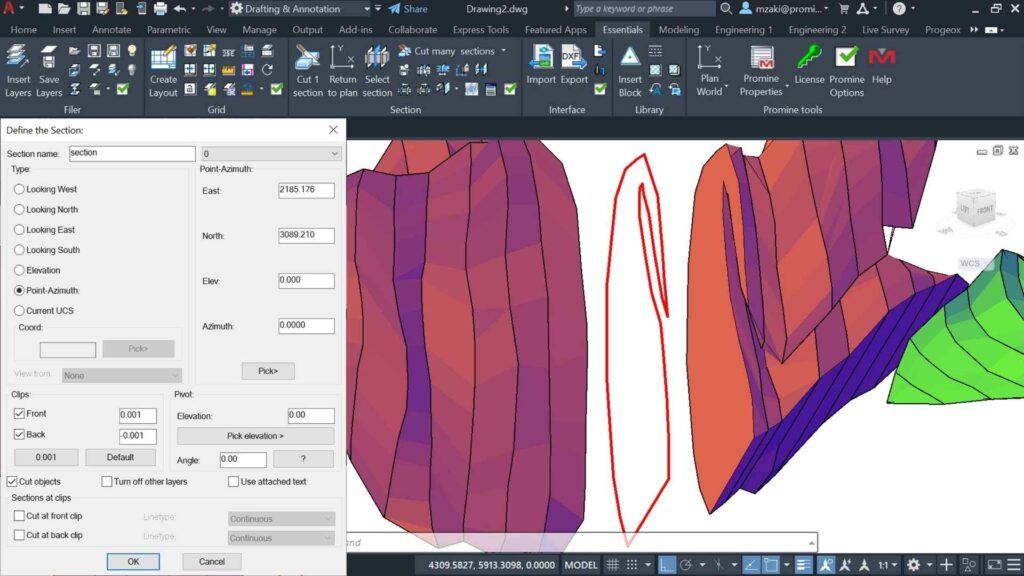

Powerful AutoCAD plugin for cutting sections in any direction.
Promine’s most conducive module. Cut sections easily in any direction and elevation. Each section can then be
visualized, modified, copied, moved and used in many other modules.
This module allows you to:
- Cut one section.
- Cut many sections in batch.
- Cut only the selected objects on a selected section.
- Cut the objects which are on selected layers for a set of selected sections.
- Return to the plan view and world UCS
- Bring a selected section on screen and makes it ready to be edited.
- Make a section current by selecting an object of the section on screen.
- Go from the current section to the previous section in the list.
- Go from the current section to the next section in the list.
- Create a reference surface in space, this surface will appear as a line when cut.
- Set the UCS of a selected section.
- Change the section view thickness in order to see more or less of what is in front or behind the section plane.
- Flip through the list of section.
- Make the current zoom as default on the current section.
- Project selected objects on a cut section.
- Copy objects from a section to another section.
- Insert section names in plan view.
- Attach a text to an object.
- Erase a section from drawing.
- Project polylines from other sections in the current section.
- Execute a custom command of the section module.
This module is provided as an on-going subscription based on your choice of time period and number of licenses.
Licenses for this module are provided in batches of 5. This means the first available batch is 1-5 licenses, then 6-10 licenses, and so on. Multiple licenses allow users to run Promine simultaneously.
You may install Promine on an unlimited number of devices, but the number of simultaneous users depend on the number of licenses you choose. The available time periods are 3 months, 6 months, 9 months and 12 months.
The installation and licensing can be done online; there is no need for on-site setup and installation. You may request a Promine representative to come on-site to perform the full setup and installation; Otherwise, this can be done online.
We understand that you may require a few functions to finish your project. This is why we introduced the concept of “À la carte”. You can pick and choose the modules suitable for your project, the time period and the number of licenses in batches of 5.
This module is part of the Project Management Category. Manage all your drawings and plans in one place. For drawing management, branded layouts, printing, section cutting and storing lists of valuable blocks.