
PROGEOX – Block Modeling Module

Online installation available
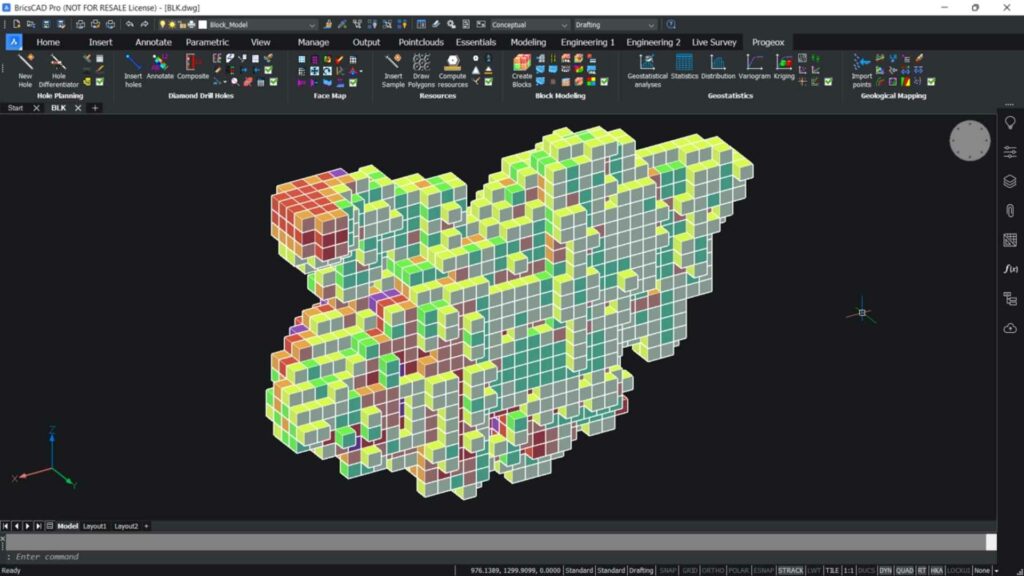

Create accurate block models from drill holes or import a block model in any industry standard file format, then carry out various resource calculations.
This module allows you to:
- Create a composite database as input for the block modeling function.
- Make a block model from sample data.
- Compute the resources included in selected blocks.
- Filter selected blocks by properties.
- Erase all blocks on a layer from a block model.
- Export data from a vein block model to a CSV file.
- Import vein block model data from a CSV file.
- Create a 3D model of a vein or seam orebody.
- Create a 3D model of vein.
- Apply grade values to block according to samples selected
- Compute resources in a vein.
- Show the values attached to a block.
- Export the block into an exchange file.
- Trim blocks to a mesh.
- Erase blocks above or below a surface.
- Adjust selected block color scheme according to a selected data type.
This module is provided as an on-going subscription based on your choice of time period and number of licenses.
Licenses for this module are provided in batches of 5. This means the first available batch is 1-5 licenses, then 6-10 licenses, and so on. Multiple licenses allow users to run Promine simultaneously.
You may install Promine on an unlimited number of devices, but the number of simultaneous users depend on the number of licenses you choose. The available time periods are 3 months, 6 months, 9 months and 12 months.
The installation and licensing can be done online; there is no need for on-site setup and installation. You may request a Promine representative to come on-site to perform the full setup and installation; Otherwise, this can be done online.
We understand that you may require a few functions to finish your project. This is why we introduced the concept of “À la carte”. You can pick and choose the modules suitable for your project, the time period and the number of licenses in batches of 5.
This module is part of the Progeox Category. With Progeox, you can:
- Create geostatistical models from samples and block models.
- Create block models from composites and perform resource estimation.
- Plan and insert a diamond drillling campaign, the data of coordinates, azimuth, inclination and length.
- Import hole data stored into a drawing from any common database and edit them in 3D.
- Create a map contour and create a surface model of a property for better visualization.
- Create an implicit model of a lithology and model a surface of a property.