
MODELING – Solids Module

Online installation available
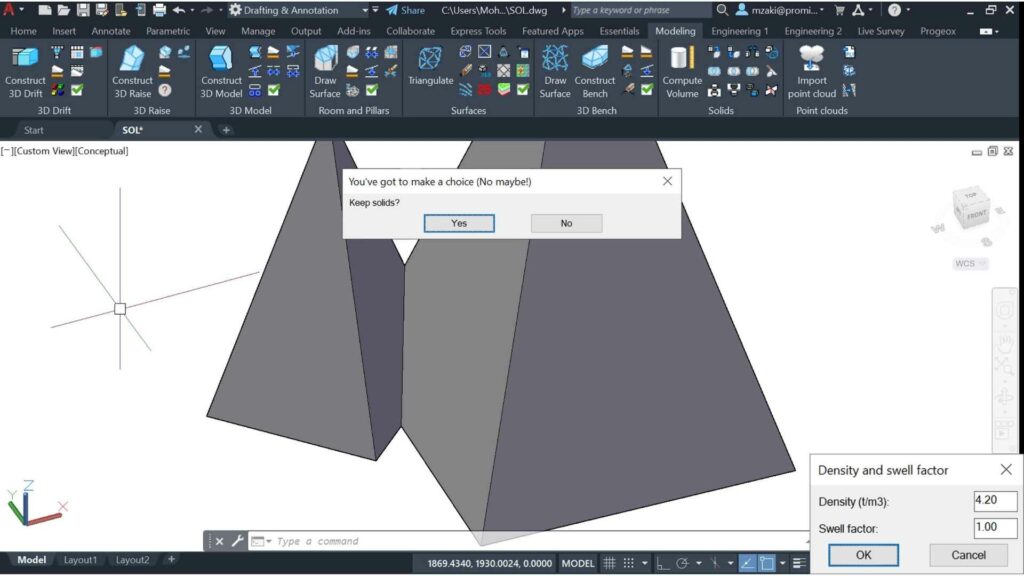

This module allows you to:
- Compute the volume and tonnage of selected solids and meshes.
- Convert selected meshes into solids.
- Convert selected solids into meshes.
- Join selected 3D faces or 2D meshes into one single mesh.
- Unite selected solids or meshes into one solid.
- Make the intersection solid between two sets of solids.
- Subtract a set of solids from another set of solids.
- Slice Solids into subparts using polylines.
- Make a cookie cut through a solid.
- Keep the volume defined by a polyline selected and removes the rest of the solid or mesh that is not within.
- Check if a selected mesh is self intersecting and show where the problems are located.
- Project a mesh shadow on the current UCS.
- Close holes in a selected mesh.
This module is provided as an on-going subscription based on your choice of time period and number of licenses.
Licenses for this module are provided in batches of 5. This means the first available batch is 1-5 licenses, then 6-10 licenses, and so on. Multiple licenses allow users to run Promine simultaneously.
You may install Promine on an unlimited number of devices, but the number of simultaneous users depend on the number of licenses you choose. The available time periods are 3 months, 6 months, 9 months and 12 months.
The installation and licensing can be done online; there is no need for on-site setup and installation. You may request a Promine representative to come on-site to perform the full setup and installation; Otherwise, this can be done online.
We understand that you may require a few functions to finish your project. This is why we introduced the concept of “À la carte”. You can pick and choose the modules suitable for your project, the time period and the number of licenses in batches of 5.
This module is part of the Modeling Category. Construct and manipulate 3D models of surfaces, geological structures and other underground mining developments. Calculate volumes, tonnages and apply boolean operations on 3D solids. Visualize your 3D developments in more depth using point clouds.